INFO: Software Cheat Sheets
Snow Leopard: Solving Problems
Cheat Sheet 20091216

Cheat Sheet 20091216
Desktop icons auto-arrange to the right side of the screen when starting up.
First Control-Click on the Desktop and make certain you have your preferences set to Arrange by: None (see below):
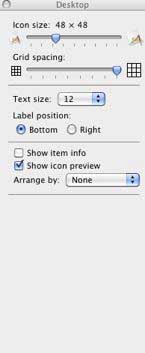
Then, go to Finder - Preferences - General and make certain that New Finder windows open: Desktop (see below).

HP Photosmart printer won't print because it can't find a driver.
Note: Snow Leopard does not have a Printer Setup application like before. It has been replaced by Print & Fax in System Preferences.
Go to System Preferences - Print & Fax - Options & Supplies - Driver and choose Print Using: Generic PCL Laser Printer (see below):

Note: Unforutnately, I cannot print using color this way on my older printer. This is an old problem and I have bought a new printer and have moved on in my OS. The new OS solved the color issue.